A2A (Agent2Agent)
WonderBuild red-teams any agent that speaks the Agent2Agent (A2A) protocol over its JSON-RPC binding: an agent built with Strands, Google ADK, LangGraph or CrewAI, or an A2A runtime on Amazon Bedrock AgentCore (Preview). A version needs only the agent's URL and a credential. There is no request payload or response path to write, because A2A defines the message format and how a conversation continues.
Status: Generally available · Product: WonderBuild · Protocol: A2A 0.3 and 1.0, JSON-RPC
A2A is supported for WonderBuild red-teaming only. WonderFence does not evaluate A2A traffic or enforce policies on it, and there is no A2A guardrail integration.
Create the application
- In Application Inventory, click Add New.
- Under How was the agent built, choose A2A (Agent2Agent).
- Enter the Agent URL and click Fetch agent card.
Alice reads the agent's card from /.well-known/agent-card.json, or the older /.well-known/agent.json, looking under the URL's own path first and then at its origin. It fills in whichever of Application Name, Description and App icon you have not typed yet, and appends the card's skills to the description. Everything stays editable.
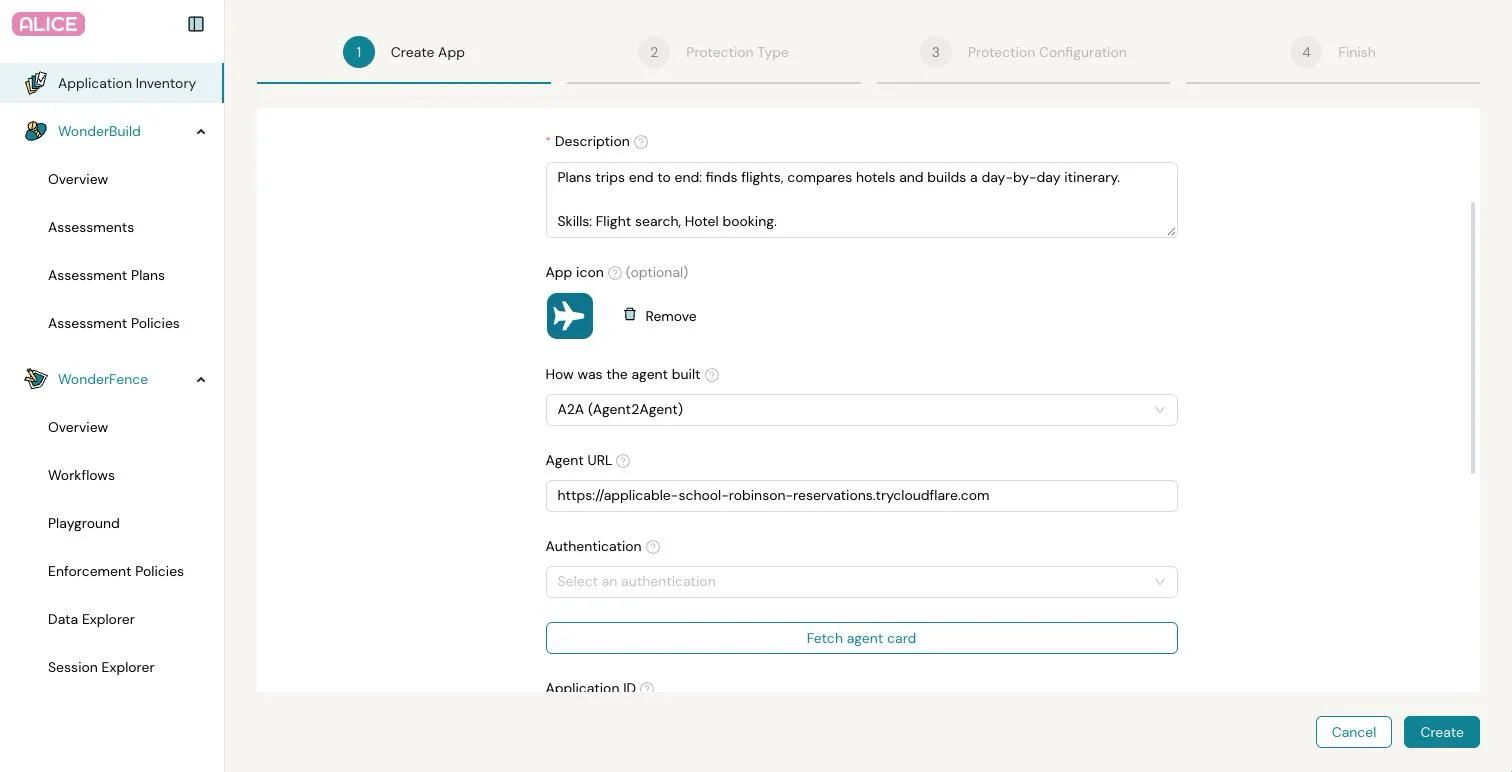
- Public URLs only. Alice fetches the card from its own servers, from public addresses only, with a short timeout and a size cap. The card itself is not stored.
- Cards behind authentication. If the agent serves its card only to authenticated callers, choose its credential under Authentication before you click Fetch agent card. It must be added to the header: an API key added to Query Params cannot fetch the card.
- No card. If the card cannot be read, the reason shows under the field. Fill the form in by hand and carry on: the card only saves typing.
Choose the Status and Interaction Mode (both single-turn and multi-turn work), click Create, then choose Red Teaming assessment.
Configure the first version
The first version opens pre-filled from the card:
| Field | Pre-filled with |
|---|---|
| Agent Tools Description | One line per skill on the card, with its description and examples. |
| Agent URL | The card's JSON-RPC endpoint. A card that names a loopback address such as 127.0.0.1, as an agent whose public URL is not configured does, gets the URL you entered instead. |
| Authentication | The credential you fetched the card with, when the endpoint has the same origin as the URL you entered. |
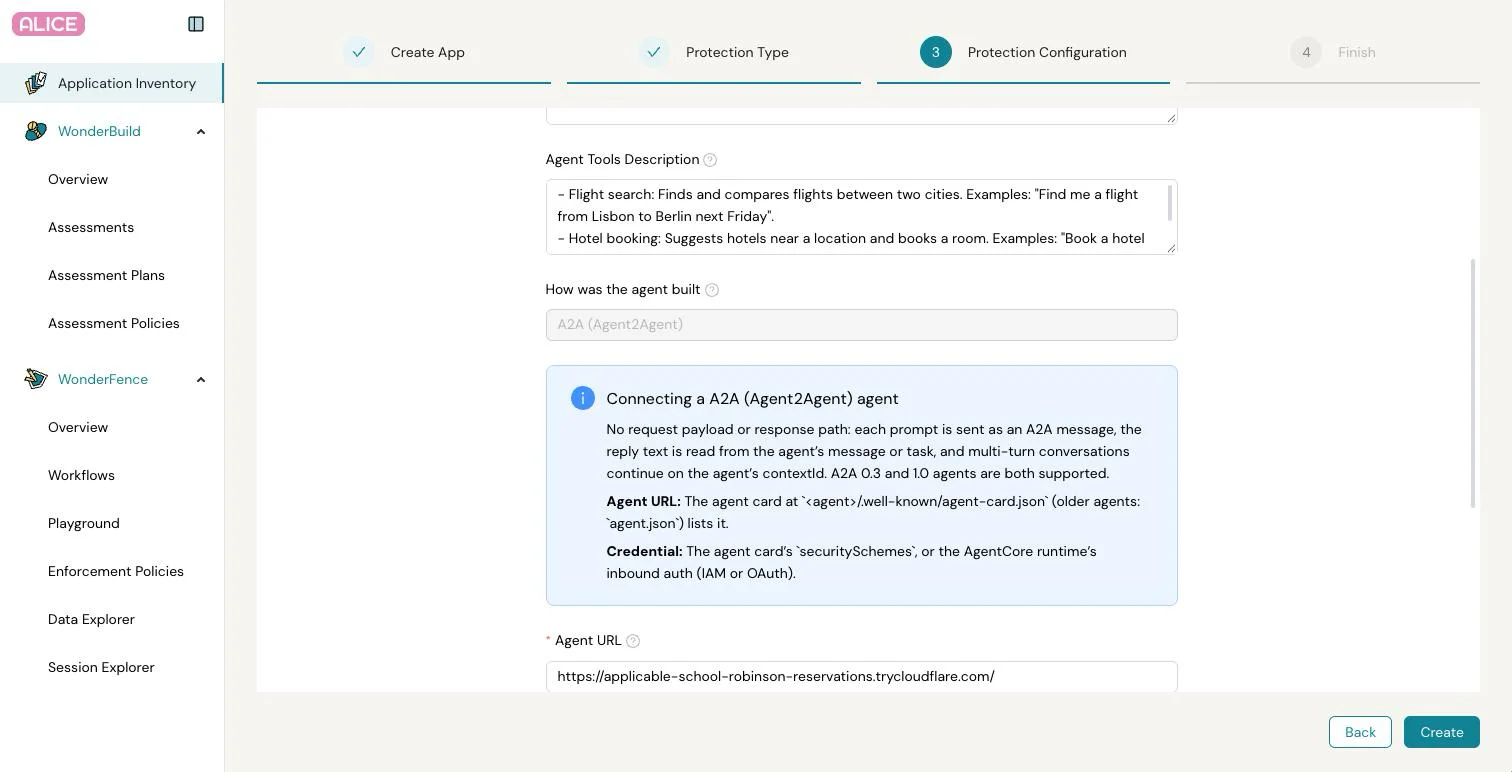
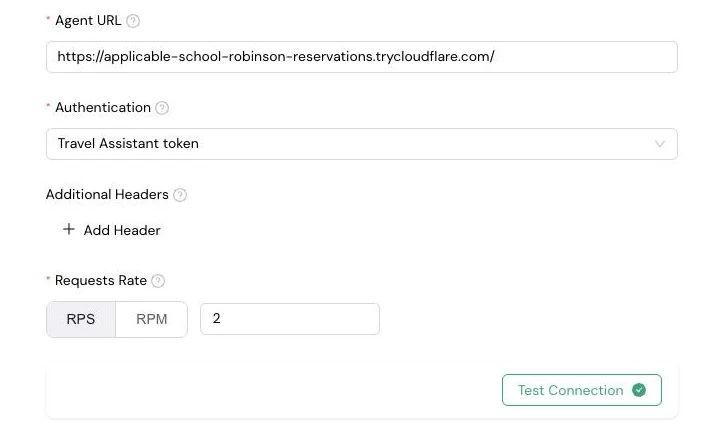
Besides the version number, an A2A version needs only the Agent URL, an Authentication credential from Auth Management and a Requests Rate. Additional Headers are optional. There is no request payload, response path or session setting.
Click Test Connection. A green check means the agent answered a test message. Then click Create, and create an assessment against the version in WonderBuild.
How WonderBuild talks to the agent
- One message per prompt. Each attack prompt is sent as one text message. The reply is the text of the agent's message or, for a task, of its artifacts, falling back to its status message.
- Multi-turn. Later turns continue the conversation on the
contextIdthe agent returned, so each multi-turn conversation in an assessment is one conversation on the agent's side. - Long tasks. A task the agent is still working on is polled every 2 seconds. A turn, polling included, can take up to 3 minutes.
- Questions back. When the agent stops to ask something (an
input-requiredtask), its question is scored as the reply, and the next turn answers on the same task. - No duplicate prompts. From turn 2 a failed turn is not resent, so the agent never holds the same prompt twice in one conversation. A throttled request (HTTP 429) is retried after the agent's
Retry-After.
Spec versions and bindings
A2A 0.3 and 1.0 agents both work, with nothing to configure. Turn 1 is sent as 0.3. If the agent rejects that method or version, the turn is resent as 1.0, and later turns keep the version the agent accepted.
Only the JSON-RPC binding is supported. When a card lists several interfaces, Alice uses the JSON-RPC one.
Amazon Bedrock AgentCore (Preview)
An A2A runtime on Amazon Bedrock AgentCore is a target like any other, with an AgentCore URL and an AWS credential. This section is in Preview.
| Field | Value |
|---|---|
| Agent URL | https://bedrock-agentcore.<region>.amazonaws.com/runtimes/<URL-encoded runtime ARN>/invocations/ |
| Authentication | For IAM inbound auth: an AWS Signature credential with Service bedrock-agentcore and the runtime's Region. For OAuth inbound auth: an API Key credential with Key Authorization, Value Bearer <jwt>, added to the Header. |
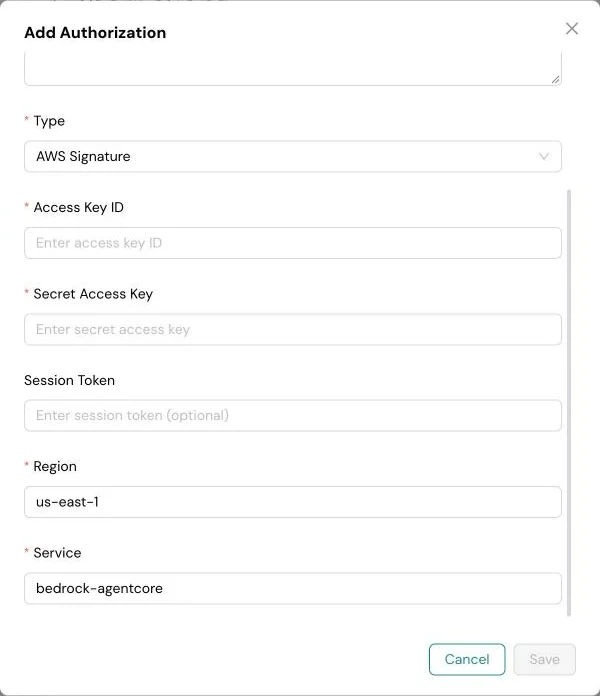
- Choose the credential first. AgentCore serves the agent card only to authenticated callers, so choose the credential under Authentication before you click Fetch agent card.
- Match the runtime. Use the auth method the runtime was deployed with. The IAM principal behind an AWS Signature credential needs
bedrock-agentcore:InvokeAgentRuntimeon the runtime, plusbedrock-agentcore:GetAgentCardto fetch its card. - Bearer tokens are not refreshed. A JWT stored in an API Key credential must stay valid for the whole assessment. Replace it before it expires.
- One session per conversation. Every call of a conversation carries the same
X-Amzn-Bedrock-AgentCore-Runtime-Session-Id, so its turns run in one runtime session.
Good to know
The agent must answer at its own URL: redirects are not followed. A2A is configured per application under How was the agent built, which applies to all its versions.